ANDROID TV / GOOGLE TV
Install from Google Play
Use the official Play listing on a supported TV. Choose Install, then open the app and start with Free.
Get it on Google Play Google Play checks device compatibility.
No ads to navigate around. No one else deciding what belongs up front. Just your apps, your space, and a calmer way to get watching.
Ad-free · Free to start · No subscription
Get occasional TVApplaunchЯ product updates, new-product announcements and news. Subscribe only if you want to hear from us, and unsubscribe at any time.
Optional news emails. Purchase, activation and support emails are separate. Privacy policy
Start with your device and what you want Home to do. Installing a launcher and making the remote’s Home button open it are separate steps.
Try the app as a regular launcher first. If you want the remote’s Home button to open it, the optional Launcher Manager setup depends on your TV’s debugging support and manufacturer restrictions.
Explore Android TV setupFire TV has a separate, built-in, opt-in redirect for Home. It requires a one-time ADB permission and does not uninstall Amazon Home. Results vary by Fire OS and firmware.
Explore Fire TV setupTurn on the TV.
See what you came for.
TVApplaunchЯ starts with a simple idea: the best home screen is the one that feels like yours, not a storefront.
Keep favourites close, find recent apps quickly, and organise your home into rows that make sense to you. Start with Free and build from there.
See Free & ProHOME 20:42Pick up where you left off.
Choose from built-in looks. Pro opens up your own wallpaper, fonts and deeper appearance controls for a home screen with your fingerprints on it.
With Pro, use the web Studio to arrange a layout draft, manage assets and backups, then send a saved layout for review on your TV. Studio theme presets are free to use; they are not paid packs.
Open actual Studio preview Example apps shown. Studio displays a website draft, not a live TV view.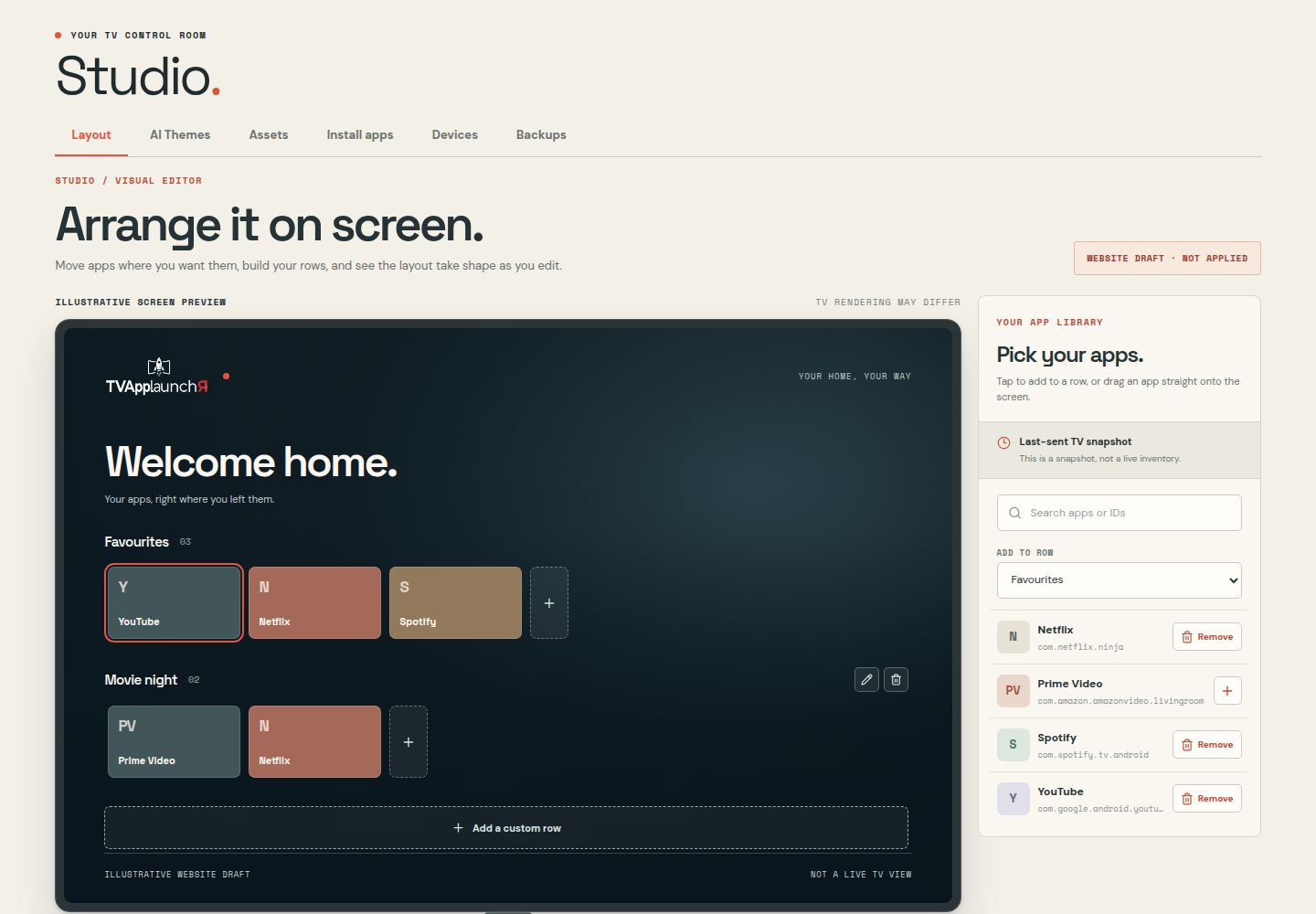
Free is a full, ad-free place to begin. Pro adds more ways to shape it: all seven layouts, a visual web Studio, and control across multiple TVs. One payment, no subscription.
An ad-free home for your apps, with four ready-made layout themes (Classic, Gallery, Minimal, Sidebar), each in dark, ocean, warm and light. Your installed apps keep their own wide banners.
How to installUnlock all seven layouts, unlimited custom rows, up to six profiles, custom wallpapers and fonts, and visual editing with Studio sync. Includes 15 AI wallpaper generation requests; additional requests cost separately.
Explore ProFree stays useful on its own. Pro is a one-time upgrade for people who want more control across their screens.
Four ready-made layouts. Choose your favourites and organise up to three custom rows.
HOME 20:42Pick up where you left off.
Arrange apps, customise your look and sync a saved setup. Cinema, Dashboard and Ribbon layouts are also included.
Actual website Studio editor showing a sample draft—not a live TV view.Features shown describe the product offering; check the installed release notes for what is available in the current APK. Preview artwork is illustrative.
TVApplaunchЯ is now available on Google Play for supported Android TV and Google TV devices. Install it from the official listing and start with Free. Fire TV users can use the signed APK and our installation guide.
Get it on Google PlayNo monthly fee. One Pro code unlocks the tools to personalise and manage your Android TV setup.
All seven layout themes and the extra Studio looks, plus control over wallpaper, type and your online Studio. Studio looks are included, not sold separately.
Important compatibility information. Installation, functions and Home-screen features depend on your TV model, OS version and manufacturer restrictions. Future updates or third-party blocking or removal may prevent installation or use; ongoing compatibility is not guaranteed. Read compatibility and consumer rights. Your statutory rights and applicable refund remedies remain unaffected.
Check the required box above to enable Get Pro.
Purchases are subject to our Terms of Service. Our Privacy Policy explains how we handle your information. The compatibility checkbox does not waive your consumer rights.
Secure checkout by StripeNo. Install the TV app and start with Free. Pro adds deeper personalisation and web management.
No. Pro is a one-time purchase. Google Play shows the final amount before an in-app purchase; Stripe shows the amount and currency for website purchases.
Yes. Install TVApplaunchЯ from the official Google Play listing on a supported TV. The signed APK remains available for Fire TV and other sideload installations.
Use your Pro activation code to sign in to Studio. Website customers enter their code on the TV first; Google Play customers can purchase or restore Pro on the TV and use the Studio activation code shown there. Theme presets inside Studio are free.